
When publishing an extension to Open VSX, you may see:
“You must log in with an Eclipse Foundation account and sign a Publisher Agreement before publishing any extension.”
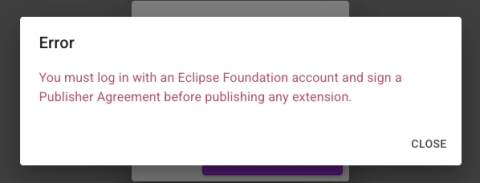
This error is shown by Open VSX when the Publisher Agreement has not been completed. The message is accurate, but easy to misinterpret.
TL;DR
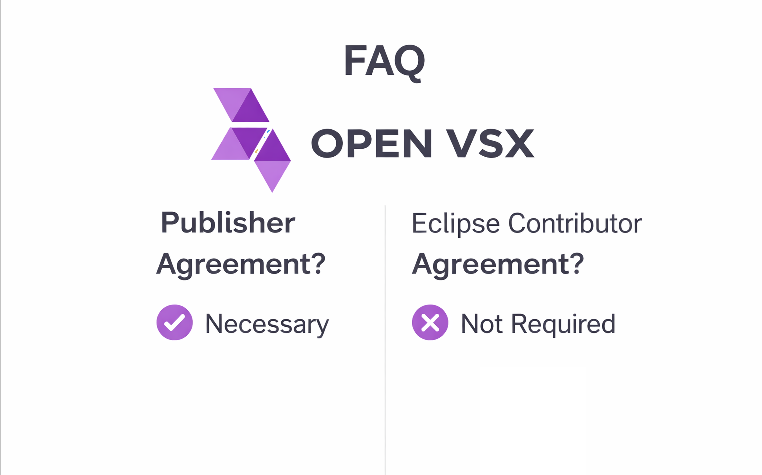
- Contrary to what many assume, this error is not related to the "Eclipse Contributor Agreement" (ECA)
- You must sign the Publisher Agreement on Open VSX to publish
Where the confusion comes from
- A common reaction is to search for this error and follow existing guidance.
- Many sources point to signing the Eclipse Contributor Agreement, ECA. The ECA is used when contributing code to Eclipse open source projects: https://accounts.eclipse.org/user/eca
- It ensures that contributions can be legally accepted into Eclipse projects.
However, it has no impact on your ability to publish extensions on Open VSX.
What actually fixes the problem
- To publish an extension on Open VSX, you must sign a different agreement: The Publisher Agreement
- This agreement defines the terms under which your extension is distributed via the Open VSX registry.
Steps
- Open your profile on the Open VSX registry:
https://open-vsx.org/user-settings/profile - Log in with GitHub
- Click Log in with Eclipse
- If you do not yet have an Eclipse Foundation account, create one here:
https://accounts.eclipse.org/user/register - Back in your Open VSX profile:
- Click Show Publisher Agreement
- Click Agree
Once this is done, publishing should work as expected.
Why this is not obvious
From a developer perspective, everything can look correctly configured:
- You are logged in with GitHub
- You have an Eclipse Foundation account
- You may already have signed the Eclipse Contributor Agreement
Yet publishing still fails.
The missing step is subtle:
- The Publisher Agreement must be signed from your Open VSX profile, after linking your Eclipse account.
Signing agreements on the Eclipse account website alone is not sufficient.
ECA vs Publisher Agreement
Eclipse Contributor Agreement
- Purpose: contribute code to Eclipse open source projects
- URL: https://accounts.eclipse.org/user/eca
- Scope: contribution and IP workflow
Not used for publishing extensions
Publisher Agreement
- Purpose: publish extensions on Open VSX
- Location: your Open VSX profile
- Scope: distribution terms for extensions
Required to publish
Common pitfalls
“I already signed the contributor agreement”
- That is expected, but unrelated to publishing.
- You still need to sign the Publisher Agreement.
“I don’t have an Eclipse Foundation account”
- You need one to complete the Publisher Agreement:
https://accounts.eclipse.org/user/register - WARNING: Use the same GitHub identity as your Open VSX login to avoid linking issues.
Is it mandatory to sign the Eclipse Contributor Agreement (ECA)?
No.
The ECA is only required if you contribute code to Eclipse open source projects.
“I don’t see the Publisher Agreement option”
Check:
- You are logged in to open-vsx.org with GitHub
- You clicked Log in with Eclipse
- The accounts are successfully linked
The option only appears after linking.
“I did everything and it still fails”
Quick checklist:
- GitHub login active on open-vsx.org
- Eclipse account linked
- Publisher Agreement signed
- Same GitHub identity used throughout
Further reading
https://github.com/EclipseFdn/open-vsx.org/wiki/Publishing-Extensions


